You are ready to leave, but your keys have disappeared again. Your phone battery is running low. Your earbuds are somewhere near the bottom of your bag.
These little frustrations do not require a house full of gadgets. Sometimes, one thoughtfully chosen device can make a familiar part of your day easier.
Personal smart tech for beginners starts with that idea. We look at what you already do, notice what gets in the way, and choose something that helps. Whether that means finding your wallet or keeping your phone charged, usefulness comes before a long feature list.
What Counts as Personal Smart Tech?
Personal smart tech includes small electronic devices and connected accessories that support everyday routines. Wireless earbuds, item trackers, and smartwatches are familiar examples.
We also include practical charging accessories in this guide. A power bank may not connect to an app, but it can be just as useful as a connected gadget.
Some products work largely on their own. Others rely on a compatible phone, an account, or a companion app. That app is the software you install to set up the device, change settings, or see information.
You do not need to buy several devices together. A charger that lives beside your favorite chair may solve your biggest annoyance without introducing another app at all.
Staying Organized Without Adding More Work
Before buying something to organize your day, think about what actually needs organizing. Forgetting appointments, losing charging cables, and missing phone notifications are different problems.
For appointments and shopping lists, start with the calendar and reminders already on your phone. Try a shared shopping list or a recurring reminder before purchasing another screen.
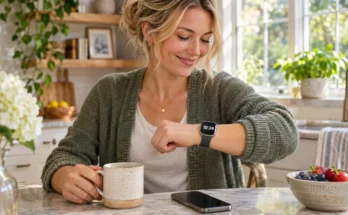
A smartwatch can help if your phone often stays in your bag. Depending on the model and your phone, it may display reminders, show incoming messages, or let you set a timer from your wrist. However, checking information on a small screen will not appeal to everyone.
For physical clutter, a tech pouch or a designated charging spot may offer more help. Neither needs a wireless connection. Keeping your cables and earbuds in one familiar place can make leaving home feel less scattered.
At Nettie’s, we would start with the simplest change you can maintain. An organizer only helps when putting things away feels easy.
Charging: Make Power Easier to Find
Charging accessories are an approachable starting point because the benefit is easy to recognize. You want your phone ready when you need it.
A Charging Spot for Home
A desktop or bedside charger gives your phone a regular place to land. If cords keep slipping behind furniture, a stand or cable holder may solve the problem.
Wireless charging can be convenient, but your phone must support it. Magnetic attachment also depends on the phone, charger, and sometimes the case. A thick case or poorly positioned phone can interfere with charging.
Check what comes in the box. Some charging stands include a cable but require a separate wall adapter. A station with spaces for a phone, watch, and earbuds also needs to support your particular devices.
If you charge only one phone, a dependable cable and suitable wall charger may be all you need.
A Power Bank for Days Away
A power bank is a rechargeable battery you carry to top up another device. It is useful during errands, travel, or long afternoons away from an outlet.
Pay attention to size, weight, connections, and charging output. Battery capacity, usually listed in milliamp-hours or mAh, describes stored charge. Output in watts helps indicate the power available to a connected device. A larger capacity number alone does not guarantee faster charging.
Actual phone recharges vary because of energy losses, phone battery size, and how you use the phone while charging. Avoid choosing solely from a claim about how many charges a power bank provides.
For everyday carry, convenience matters. Choose something you will willingly put in your purse or pocket, and remember to recharge the power bank itself.
Listening: Match the Device to Your Day
Wireless listening devices can make podcasts, music, and calls more convenient. The right style depends on where you listen and what feels comfortable.
Earbuds are compact and easy to carry. Their charging case stores them and replenishes their batteries, although the case needs charging too. Fit matters because an uncomfortable pair will spend more time in the drawer than in your ears.
Over-ear headphones may suit longer listening sessions at home. They take up more space, but some people prefer wearing cushioned ear cups to placing earbuds in their ears.
Open-ear headphones leave the ear canal uncovered. They can make it easier to hear nearby sounds, although they do not guarantee awareness or safety. Background noise may also make quiet audio harder to hear.
A small Bluetooth speaker is another option when you want sound in a room without wearing anything. It may be the better choice for folding laundry, cooking, or listening together.
Bluetooth is a short-range wireless connection. Pairing means introducing the accessory to your phone so they can connect. Usually, you put the accessory into pairing mode, then select it in your phone’s Bluetooth settings. Exact steps vary by device.
Start with comfort, straightforward controls, and the way you expect to listen. Noise cancellation and extra app settings are worth considering when they serve that routine.
Finding Things: What Item Trackers Can Actually Do
An item tracker attaches to something you regularly misplace, such as keys or a bag. Wallet trackers may be thin cards, while other designs fit a key ring.
Nearby finding is often the simplest benefit. You open the appropriate app and make a supported tracker play a sound. That can help when your keys are hiding beneath a cushion.
Some trackers also use a wider finding network. Nearby participating devices can detect the tracker and relay its approximate location. Apple’s Find My network is one example.
These Bluetooth item trackers are different from dedicated GPS trackers with cellular service. They do not promise continuous, live location updates everywhere. Results depend on the product, nearby devices, available connections, and other conditions.
Phone compatibility is especially important. A tracker designed for one finding network may not work with another. Features such as directional finding can also require a particular phone model.
Check how the tracker gets power. Some use replaceable batteries, some recharge, and others have batteries that cannot be replaced. Also check whether optional features require a subscription.
For a wallet, read the description carefully. “Tracker compatible” may simply mean there is a pocket for a separately purchased tracker.
Choose Your First Device by the Problem
If several categories sound appealing, use your most frequent frustration to narrow the choice.
| If this happens regularly | A practical starting point | Check before buying |
|---|---|---|
| Your phone runs low during errands | Compact power bank | Connection, weight, and charging output |
| Charging cables clutter your nightstand | Simple charging stand or station | Device compatibility and included adapter |
| You want private listening during chores | Comfortable earbuds or headphones | Fit, controls, and return policy |
| You prefer music without wearing headphones | Small Bluetooth speaker | Size, controls, and charging needs |
| Your keys disappear around the house | Compatible item tracker | Phone support, audible alert, and battery |
| You miss useful reminders while your phone stays tucked away | Simple smartwatch | Phone compatibility and readable display |
Pick one row that sounds like your actual week. You can explore another category later if a separate need appears.
Check the Small Details Before Buying
Compatibility deserves a closer look than “works with smartphones.” Confirm the supported phone models, operating system requirements, connector, and any essential app.
Then consider upkeep. How often will you need to charge it? Does it require an account? Will you remember where the charging cable lives? A useful feature can lose its appeal if maintaining it feels like another chore.
Read the difference between included features and paid extras. Check whether the function you want works without an ongoing subscription, rather than assuming everything advertised is included.
For connected products, review the permissions requested during setup. A finding app may need location access for its core functions. Look for clear explanations of what access is needed and why.
Finally, check the return policy. Comfort, screen readability, button placement, and everyday convenience are difficult to judge from product photographs.
Give One Small Upgrade a Fair Try
Once you choose something, set it up when you have a few quiet minutes. Charge it, follow the instructions, and try its main function before depending on it away from home.
Give it a regular place in your routine. Keep the power bank in the bag you actually carry. Put earbuds back in their case. Attach the tracker to the keys you use every day.
After a week, ask one question: did this make something easier?
That is the real measure of useful personal smart tech. Start with one ordinary frustration, choose one practical solution, and let your everyday experience guide what comes next.
Looking for more simple technology that fits comfortably into everyday life? Visit our Discover collection for practical guides to speakers, headphones, and other audio products. You can also explore Nettie’s Nick Nacks to discover useful ideas for what you listen to, wear, carry, live with, and discover next.