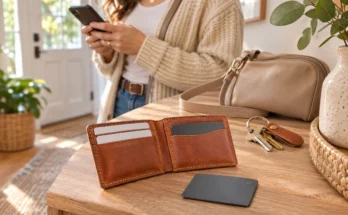
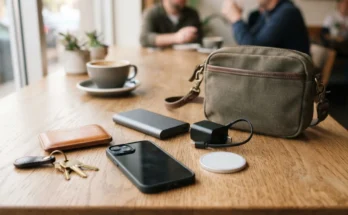
Shopping for a wallet used to mean choosing a size, a color, and enough pockets. Now we see wallets promising tracking, instant card access, RFID protection, and slimmer pockets. That sounds helpful, but the word “smart” can leave us wondering what we are actually buying.
Some smart wallets contain electronics. Others have a clever card mechanism or a space for a separate tracker. A wallet can offer one feature without including the others.
At Nettie’s Nick Nacks, we like everyday accessories that earn their place in our bags and pockets. This guide to smart wallets for beginners explains what those features do, where they help, and what to check before buying.
What Makes a Wallet “Smart”?
“Smart wallet” is a broad shopping label rather than a promise of specific features. Start by separating the possibilities.
| Feature | What it does | What it does not mean |
|---|---|---|
| Electronic tracking | Helps locate a wallet through a compatible app or finding network | Guaranteed recovery or continuous live location |
| Tracker pocket or holder | Secures a separately fitted tracking device | A tracker is included |
| Quick card access | Makes cards easier to reach using a lever, button, notch, or pull tab | The wallet has electronics |
| RFID blocking | Shields compatible contactless cards inside a protected compartment | The wallet tracks itself or prevents every kind of fraud |
| Slim design | Reduces bulk and organizes essentials | It will comfortably hold everything from your old wallet |
These features solve different problems. If you search for your wallet each morning, tracking may help. If you fumble for a payment card at checkout, easier access may be more useful.
Wallet Tracking: Built In, Included, or Sold Separately?
This is the most important distinction to understand before ordering. Product pictures can show a complete setup even when your selected purchase includes only part of it.
Built-In Tracking
A wallet with built-in tracking has tracking hardware integrated into its design. You still need to follow the setup instructions and connect it to a supported phone or app.
Check how the electronics receive power. Can you recharge the wallet? Can the battery be replaced? If the tracking component stops working, can it be serviced separately? Integration can make everything feel tidy. However, the useful life of the electronics deserves as much attention as the wallet material.
A Wallet With an Included Tracker
Some packages combine a wallet with a removable tracking card or tag. The tracker comes in the bundle, even though it is not built into the wallet. That can provide flexibility. You may be able to move the tracker into another compatible wallet later. Check the package contents and selected options carefully. A retailer may offer wallet-only and tracker-bundle versions on the same product page.
A Wallet With Space for a Separate Tracker
An AirTag pocket, tracker slot, or tracking-card compartment is simply a place to hold a device. Without the tracker, it has no electronic finding function.
For example, Ridge lists its AirTag Cash Strap and AirTag Money Clip as accessories and states that the AirTag is not included. Buying a holder and buying a tracker are separate decisions. Look for explicit wording such as “tracker included,” “sold separately,” or “holder only.” Settle that question before purchasing.
How Wallet Trackers Help in Everyday Life
A compatible tracker can help with a wallet tucked beneath a cushion or left inside yesterday’s bag. Depending on the device, you may be able to play a sound, view a reported location, or receive an alert after leaving it behind. Those abilities vary. A simple Bluetooth tracker may primarily help when your phone is nearby. A tracker connected to a wider finding network can also receive location reports through participating devices.
Apple explains that AirTag broadcasts a Bluetooth signal. Nearby devices in its Find My network can report its location to the owner. That differs from a device continuously sending its own GPS location over a cellular connection.
A map location may be approximate or based on an earlier report. Finding performance depends on the tracker, its battery, surroundings, and the availability of participating devices.
Also, do not assume every tracker provides an arrow pointing directly toward your wallet. Directional finding requires compatible hardware. Apple’s Precision Finding, for example, depends on supported devices. Apple Support
Tracking can reduce searching and give you somewhere to begin looking. It cannot guarantee recovery.
Check Phone Compatibility Before Choosing a Tracker
A wallet may fit almost any pocket while its tracker works with only certain phones. Compatibility belongs near the top of your shopping checklist.
Look for the exact supported system: Apple Find My, Google Find Hub, or a manufacturer’s own app. A familiar brand name is not enough because different models can use different systems.
Chipolo provides a useful example. Its current rechargeable CARD supports either Apple Find My or Google Find Hub, but only one network at a time. Earlier CARD models have different compatibility, so the exact version matters.
Check minimum phone requirements and whether extra features need another app. Separation alerts and phone-ringing functions may depend on particular software or settings.
Before paying, confirm whether your chosen features require a subscription. Compare the complete experience, including optional paid services. Avoid assuming everything shown in an advertisement comes with the purchase.
Quick Card Access: A Feature You May Use Every Day
Tracking gets attention, but card access affects nearly every purchase. Some wallets fan cards upward when you press a lever. Others use a pull tab or thumb notch. These mechanisms can make a compact wallet easier to use without adding electronics or another battery.
Think about your usual checkout routine. Do you use one payment card repeatedly? Do you need to show identification often? An accessible outer pocket may matter more than a mechanism that presents every card together. Capacity also needs a closer look. A maximum card count does not tell you how easily those cards move. Raised lettering, thick cards, and extra inserts can affect fit.
Watch a demonstration of loading, removing, and returning cards. If grip strength or hand movement is a concern, consider button resistance and how firmly you must pinch a card. A clever mechanism should make an ordinary task easier. If it creates extra steps for your routine, a simple pocket may serve you better.
RFID Blocking: Understand Its Specific Job
RFID stands for radio-frequency identification. Some cards communicate wirelessly with nearby readers, including contactless payment cards that use NFC, a closely related technology.
An RFID-blocking compartment uses shielding to interfere with compatible card communication while the cards remain inside. Secrid, for example, describes its aluminum Cardprotector as shielding enclosed cards from RFID and NFC reading. Dutch wallet makers since 1995
That protection has a specific purpose. It does not locate a missing wallet, stop someone taking it, or protect information entered into a fraudulent website. Treat it as protection for a particular communication method.
Check which part of the wallet is shielded. An outside quick-access pocket may not have the same protection as the main compartment. There is also a convenience tradeoff. A card inside a shielded compartment generally needs to come out before you tap it at a reader. That may matter if you frequently use a transit or building-access card.
Consider RFID blocking alongside comfort, access, and capacity. It is one feature to evaluate rather than a reason to overlook an awkward wallet.
Ordinary Wallet Design Still Matters
A wallet can have useful technology and still be uncomfortable to carry. Start with the contents of your current wallet. Remove expired cards and old receipts, then count what you actually need. Include identification, payment cards, insurance cards, and any cash you regularly carry.
Next, consider where the wallet lives. A rigid cardholder may suit a front pocket but feel awkward in a small bag compartment. A bifold may handle cash more naturally. A zippered design may make sense if you carry coins.
Compare loaded thickness rather than relying on an empty-wallet photograph. A round tracker in an outside holder can create a noticeable bump. A flat tracking card still occupies space that might otherwise hold cards.
Materials affect the experience too. Metal feels different from leather or fabric, and exposed edges can be noticeable in a pocket. Check closures, stitching, card retention, and access to folded bills.
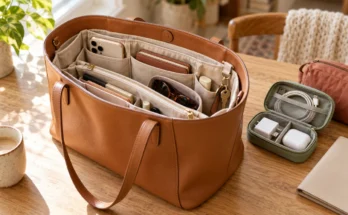
If you organize a shoulder bag or purse, consider how the wallet fits beside your everyday tech pouch. Easy retrieval matters as much as a tidy appearance.
Batteries, Charging, and the Total Cost
A tracking feature is useful only while it has power. Trackers may use replaceable batteries, rechargeable batteries, or sealed batteries that cannot be replaced. Check the exact model rather than assuming every thin tracking card works alike.
For rechargeable models, find out whether you need a cable, contact charger, or wireless charging pad. Confirm whether that accessory is included. Chipolo’s current CARD, for example, uses Qi wireless charging, while earlier versions used nonreplaceable batteries.
Add up the wallet, tracker, required holder, charging accessories, and any subscription you want. A wallet-only price can look attractive until you assemble the complete setup.
Paying more can make sense for better construction, easier access, or tracking that suits your phone. Choose the benefit you expect to use rather than paying for a longer feature list.
Getting Started With Your Smart Wallet
Set up the tracker before relying on it outside the house. Follow the manufacturer’s instructions, connect it to the correct account, and give it an obvious name in the app.
Test its sound with the wallet fully loaded and closed. Check how to view its location and whether supported alerts need to be enabled separately. Keep the tracker in the position recommended by its manufacturer. Load your essential cards, then practice removing and returning them. Carry the wallet around the house to check its thickness and comfort.
Keep the packaging until you have checked its everyday fit and understand the return requirements. A wallet can look ideal online and feel quite different in your pocket.
Finally, establish a regular place for it near your keys or bag. A dependable habit and a useful tracker can work together.
Choose Features That Solve Your Everyday Problem
The best starting point is deciding what frustrates you about your current wallet. Choose tracking if searching for a misplaced wallet is a recurring problem. Prioritize card access if checkout feels awkward. Focus on size and layout if bulk, cash storage, or organization causes the most trouble.
You may discover that your existing wallet only needs a compatible tracking card. You may prefer a new wallet with easier access and no electronics.
For more ways to organize your everyday essentials, explore our Carry category and our guide to slim wallets with tracker options. Start with the features that fit your routine, and let those guide your choice.
Looking for more simple technology that fits comfortably into everyday life? Visit our Carry Collection for practical guides to chargers, wallets, trackers and other everyday carry products. You can also explore Nettie’s Nick Nacks to discover useful ideas for what you listen to, wear, carry, live with, and discover next.